
 EN
EN

Cold Chain & Field Operations: How to Choose an Industrial PDA for Sub-Zero Environments

Cold-chain warehouses, refrigerated transport hubs, outdoor yards, and field-service sites place demands on mobile devices that ordinary office hardware was never designed to handle. Temperature changes, moisture, gloves, damaged labels, long shifts, and unstable network coverage can all interrupt data collection at the point where accurate information matters most.
An industrial PDA must therefore do more than scan a barcode. It must remain usable throughout the workflow, transfer reliable data to the WMS or TMS, and withstand the environmental conditions operators face every day. The following factors provide a practical framework for selecting a mobile data terminal for cold-chain and outdoor operations.
1. Start with the Real Operating Environment
A generic “rugged” label does not confirm that a device is suitable for freezer use. Buyers should compare the manufacturer’s specified operating and storage temperature ranges with actual working conditions, including loading docks and transition zones.
Important questions include:
- Will the device stay inside a freezer for an entire shift or move repeatedly between cold and warm areas?
- Is it exposed to condensation, frost, rain, dust, or washdown procedures?
- Will operators use it with insulated gloves?
- Does the workflow involve concrete floors, forklifts, or outdoor drops?
Rapid movement between temperature zones deserves particular attention. Moisture can form on cold surfaces when equipment enters warmer, humid air. Sealing, port design, protective accessories, and an appropriate acclimation process should therefore be evaluated alongside the headline temperature rating.
2. Evaluate Battery Performance for the Entire Shift
Low temperatures can reduce available battery performance, while continuous scanning, wireless communication, and screen use add to power demand. A device that performs well in a standard warehouse may not deliver the same runtime in a cold room.
Instead of comparing battery capacity alone, procurement teams should test a complete shift under realistic conditions. Consider whether the operation needs:
- Replaceable or hot-swappable batteries
- Spare batteries and charging cradles outside the cold zone
- Battery-health monitoring for larger device fleets
- Charging workflows that prevent unexpected downtime
The goal is not simply a larger battery. It is a power strategy that keeps the device available without forcing workers to leave their assigned area.
3. Match Scanning Performance to Labels and Working Distance
Cold-chain labels may be curved, damaged, wet, frosted, or poorly printed. The scanner must support the required 1D and 2D barcode types and read them at the distance operators actually use.
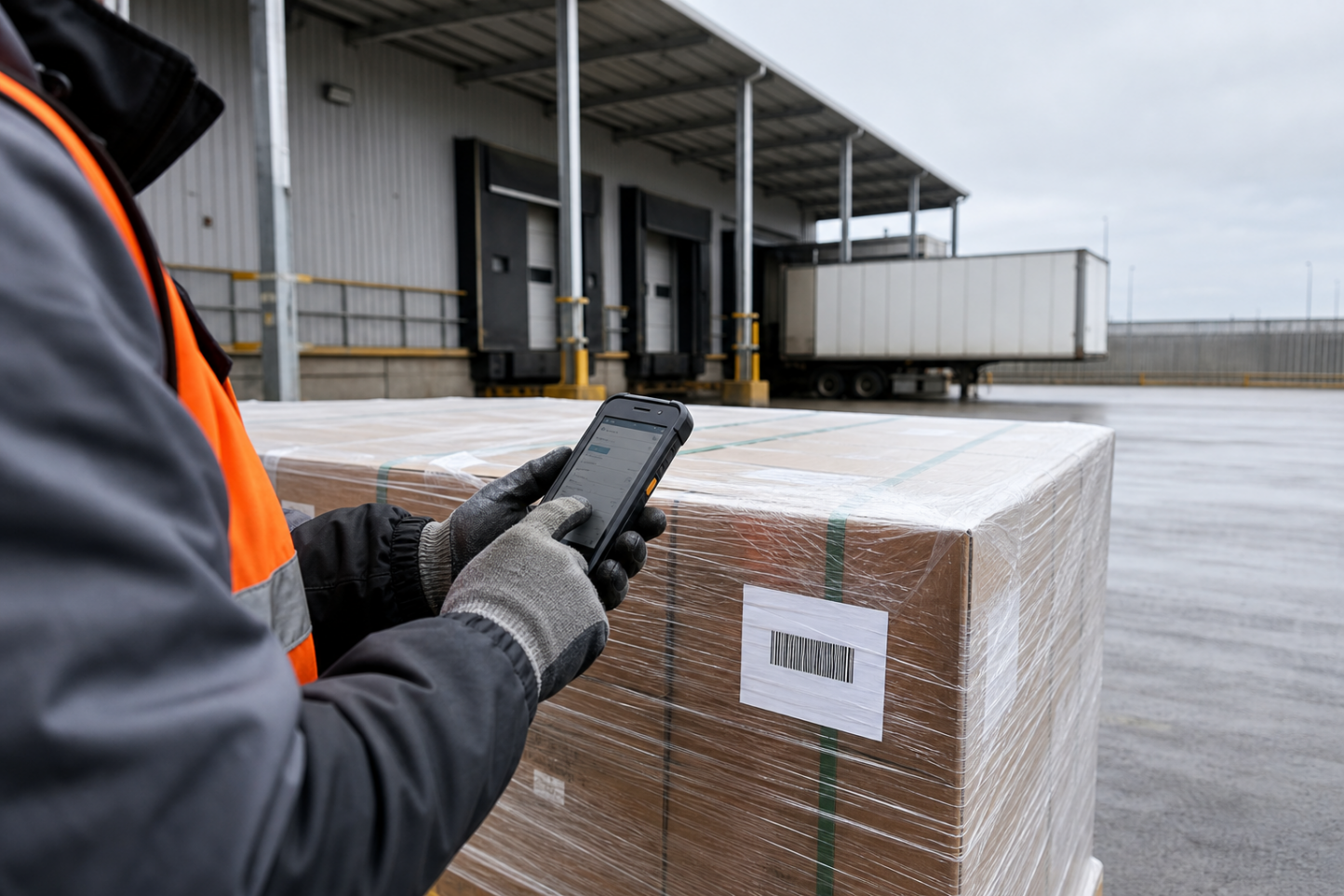
Close-range imaging may suit item picking, while pallet, high-rack, and forklift workflows can require longer working distances. Before deployment, test representative labels on cartons, plastic wrap, reusable containers, and reflective packaging. Testing should also include the least readable labels that are still accepted in daily operations—not only perfect samples.
Fast and consistent decoding reduces repeated scans, unnecessary repositioning, and manual data entry. These small delays can become significant bottlenecks when repeated across thousands of transactions.
4. Design for Gloves, Visibility, and Repeated Handling
User experience directly affects productivity. A touchscreen that works well in an office may become difficult to operate with thick gloves or moisture on the surface. Physical keys, programmable scan buttons, glove-compatible touch settings, and a clear display can make workflows more reliable.
The device should also be evaluated for weight, grip, trigger placement, and balance. Operators may carry the terminal for hours, so ergonomics should be tested during real picking, receiving, and inventory tasks. Ruggedness requirements should reflect the actual environment, including dust and water protection, repeated drops, and cleaning procedures.
5. Confirm Connectivity and System Integration Before Rollout
An industrial PDA creates value only when captured data reaches the business system correctly. Confirm compatibility with the existing WMS, ERP, or TMS, including the required Android version, application deployment method, device-management tools, and security policies.
Cold rooms, loading bays, and outdoor yards may have inconsistent wireless coverage. A practical solution should support stable roaming where coverage exists and controlled offline data capture where it does not. Once the connection returns, records should synchronize without duplication or loss.
A pilot deployment is the best way to validate the complete workflow. Test devices during normal shifts, across temperature transitions, with actual users, labels, applications, and access points. Track failed scans, battery interruptions, connectivity gaps, and operator feedback before expanding the fleet.
Conclusion: Select for the Workflow, Not the Specification Sheet
Choosing an industrial PDA for cold-chain or field operations requires a system-level view. Temperature suitability, condensation control, battery management, scanning performance, ergonomics, connectivity, and software integration must work together.
Hawkgaze provides mobile data terminals and barcode data-capture solutions for warehouse, logistics, and industrial applications. To discuss your operating environment, barcode types, application requirements, and integration needs, contact Hawkgaze for a solution assessment.