
 EN
EN

Why Label Print Quality Matters for Reliable 2D Barcode Scanning

The retail supply chain is preparing for a wider use of two-dimensional barcodes at the point of sale. Under the industry transition commonly known as GS1 Sunrise 2027, retailers are working toward the ability to accept defined 2D barcodes at POS by the end of 2027. This is a readiness target—not a legal deadline requiring every UPC or EAN barcode to disappear on that date.
The transition creates opportunities to carry more data in a single symbol. GS1 identifies QR Code with GS1 Digital Link URI and GS1 DataMatrix as widely recognized options capable of encoding a Global Trade Item Number (GTIN) with information such as an expiry date or serial number. However, that data is useful only when the printed symbol can be decoded reliably.
1. A Successful 2D Migration Begins at the Printing Stage
Companies often treat barcode readiness as a scanner-upgrade project. Imaging scanners and POS software are essential, but print quality is equally important. The label printer, ribbon, media, artwork, and production process determine whether the final symbol can be decoded consistently throughout distribution and retail.
A 2D symbol contains many small modules within a compact area. Excessive print gain can close spaces between modules, while weak contrast, missing elements, distortion, or inadequate quiet zones can reduce readability. Printing and scanning should therefore be managed as one connected system.
2. Match Symbol Design to the Printer and Packaging
A barcode that looks acceptable on a monitor may fail after printing. Before approving artwork, teams should confirm that the symbol size, module size, resolution, placement, and encoded data are suitable for the selected printing method and package.
Key checks include:
- Select a printer resolution appropriate for the required symbol dimensions.
- Avoid reducing a symbol below the size supported by the application standard and printing process.
- Preserve the required quiet zone around the code.
- Maintain strong contrast between the symbol and its background.
- Prevent folds, seams, curves, glare, and transparent layers from interfering with scanning.
- Generate the symbol from valid GS1 data rather than treating it as a decorative graphic.
3. Control the Media, Ribbon, and Printer Settings
Reliable output depends on the complete printing combination. Direct thermal and thermal-transfer methods behave differently, and the correct choice depends on label life, handling, heat, moisture, abrasion, chemicals, and storage conditions.
For thermal-transfer printing, the ribbon must be compatible with the label material. Print speed, heat or darkness, pressure, and head condition also influence edge definition and contrast. Excessive heat can spread printed elements; insufficient energy can create weak or incomplete modules.
Include printer maintenance in the quality plan. Clean the printhead and platen, inspect worn parts, and revalidate output whenever media, ribbon, or approved settings change.
4. Verify the Barcode—Do Not Rely on a Successful Phone Scan
A consumer phone or handheld scanner can confirm that a code is readable under one set of conditions, but it does not measure whether the symbol meets the required quality level. Verification evaluates the printed symbol against defined parameters and provides an objective grade.
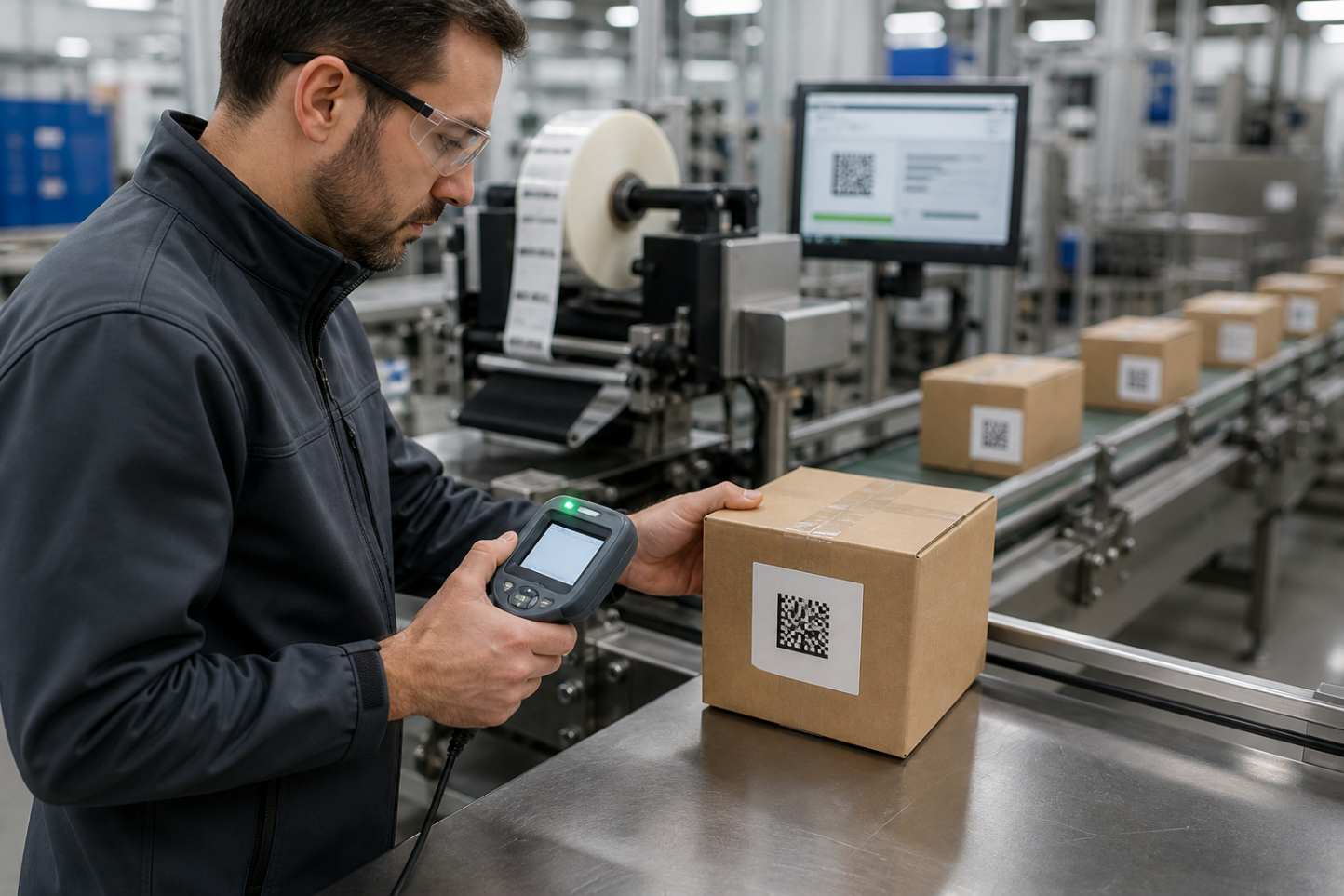
GS1 publishes a dedicated 2D Barcode Verification Process Implementation Guideline and recommends regular quality checks during production. A practical control plan can include:
- Verification when artwork or label formats are created
- First-article approval at production startup
- Scheduled checks during long print runs
- Reverification after changing the printer, media, ribbon, or settings
- Retention of results for supplier and quality review
Verification does not replace application testing. After a symbol passes the required quality checks, it should still be scanned with the actual POS, warehouse, production-line, and mobile devices used across the supply chain.
5. Build a Print–Verify–Scan Feedback Loop
The strongest migration plan connects packaging, printing, quality, IT, and operations. Start with one product family or production line, define the data and approved barcode type, print controlled samples, verify them, and test them throughout the intended workflow.
When a scan fails, avoid solving the problem only by increasing scanner sensitivity. Determine whether the root cause is data structure, symbol size, contrast, placement, print settings, label material, packaging, or scanner configuration. Correcting the source reduces repeated failures across every downstream location.
Conclusion: 2D Readiness Is an End-to-End Quality Project
GS1 Sunrise 2027 is encouraging retailers and suppliers to prepare their systems for richer 2D barcode data. Success depends on more than choosing a new symbol or installing an imaging scanner. The code must be created correctly, printed consistently, verified objectively, and tested in the real operating environment.
Hawkgaze offers industrial barcode printers and barcode data-capture solutions for manufacturing, logistics, and retail workflows. To discuss printer selection, label requirements, 2D barcode scanning, or an end-to-end validation plan, contact Hawkgaze.